The Sapa Economy Won't Kill Your Startup, But A Compromised Phone Might
We obsess over product-market fit while leaving our lock screens wide open to social engineering. Here is why basic device hygiene is a foundational engineering problem.
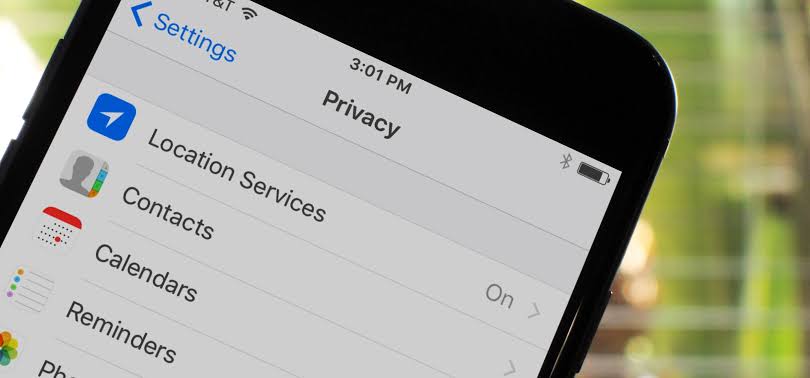
If you are sitting in a workspace in Gbagada or grinding out code in a makeshift setup in Akure, you know the rhythm. You are managing a distributed team, pushing updates to a staging server, and handling customer support on WhatsApp.
Your smartphone is not just a personal communication device. It is the core operating system of your hustle. It holds your corporate email credentials, your Flutterwave or Paystack API keys, your banking apps, and the session tokens to every single SaaS tool you use to keep the lights on.
Yet, most builders treat device security like a secondary feature. We deploy robust JWT authentication for our apps while leaving our physical phones unlocked with a four-digit PIN like 1234 or a birth year.

The Second Story: Why Device Privacy is a Founder's Problem
The interesting thing about basic phone privacy checklists is not that you need to turn on a six-digit PIN or restrict your location permissions. Everybody knows they should do that, in theory.
The real story is about threat modeling in high-friction environments. In markets like Nigeria, cybercrime is not just an abstract enterprise of anonymous hackers in hoodies. It is deeply localized, heavily reliant on social engineering, and optimized for physical access.
When a phone gets snatched in traffic around Owerri or lifted at a crowded bus park, the adversary is not trying to crack your encryption with brute-force algorithms. They are looking for visible OTPs on your lock screen, banking apps without biometric gates, and email accounts that can be easily password-reset via SMS.
[Phone Stolen/Compromised]
       │
       ▼
[Visible Lock Screen Notifications] ──► [Intercept SMS OTP]
       │
       ▼
[Account Takeover (Bank/SaaS)] ──────► [Complete Asset Drain]
If your personal device goes down, your business goes down with it. That makes simple hygiene a core engineering constraint.
Founders Advisor Strategic Breakdown
I am sitting across the table from you, and I have no reason to flatter your security posture. Here is how you evaluate this.
## The Short Answer
Your phone is the weakest node in your corporate security graph. Fix your lock screen notifications and enforce 2FA everywhere today, or risk losing your company accounts to a petty street theft.
## What Is Really Happening
Founders often conflate complex infrastructure security with device hygiene. You spend weeks configuring AWS IAM roles and securing your database clusters, but your personal phone remains vulnerable to a basic physical compromise. Social engineers in local markets exploit this exact cognitive dissonance. They rely on the fact that busy builders cut corners on physical device security because convenience always feels more urgent than threat mitigation.
## The Assumption I'd Challenge
"My phone has a biometric lock, so my data is safe if it gets stolen." The part I would challenge is what happens after the phone is unlocked or when it sits face-up on a table. Biometrics protect the boot state, but notifications expose the payload. If your lock screen shows incoming bank alerts or password reset tokens, biometrics are useless.
## The Strategic Options
- The Minimalist Approach: Rely on factory defaults and basic passcodes. (High risk of catastrophic account takeover).
- The Hardened Operator Approach: Implement strict OS-level privacy settings, hide all lock screen previews, mandate hardware-backed 2FA, and audit app permissions quarterly. (Optimal for resilience).
- The Air-Gapped Separation: Separate your personal communications device entirely from your financial and founder credentials. (Operationally heavy, but bulletproof).

## My Recommendation
Adopt the Hardened Operator approach immediately. Go into your settings right now and toggle off lock screen notification previews. If an app doesn't need your location or microphone to function, revoke its access. Treat every permission prompt as a potential vector for data leakage.
## What I Would Do Next
- Audit every app currently holding "Always" location access and downgrade them to "While Using" or "Never."
- Move all your critical 2FA away from SMS-based codes to authenticator apps or hardware keys. SMS interception is too trivial in local threat landscapes.
- Set up Find My Device or Find My iPhone with remote wipe enabled. Test it so you know it works before an emergency hits.
## What Would Change My Mind
If mobile operating systems start shipping with zero-trust architectural defaults that automatically sandbox apps and obscure sensitive notifications without manual user intervention, my tune would change. Until then, operational vigilance remains your only defense. No gree for anybody—least of all cybercriminals looking at your notifications.
Related from Nigeria
Let's build your next big product.
Accepting project-based freelance, remote engineering roles, and hybrid positions.